Cursor usage tracker
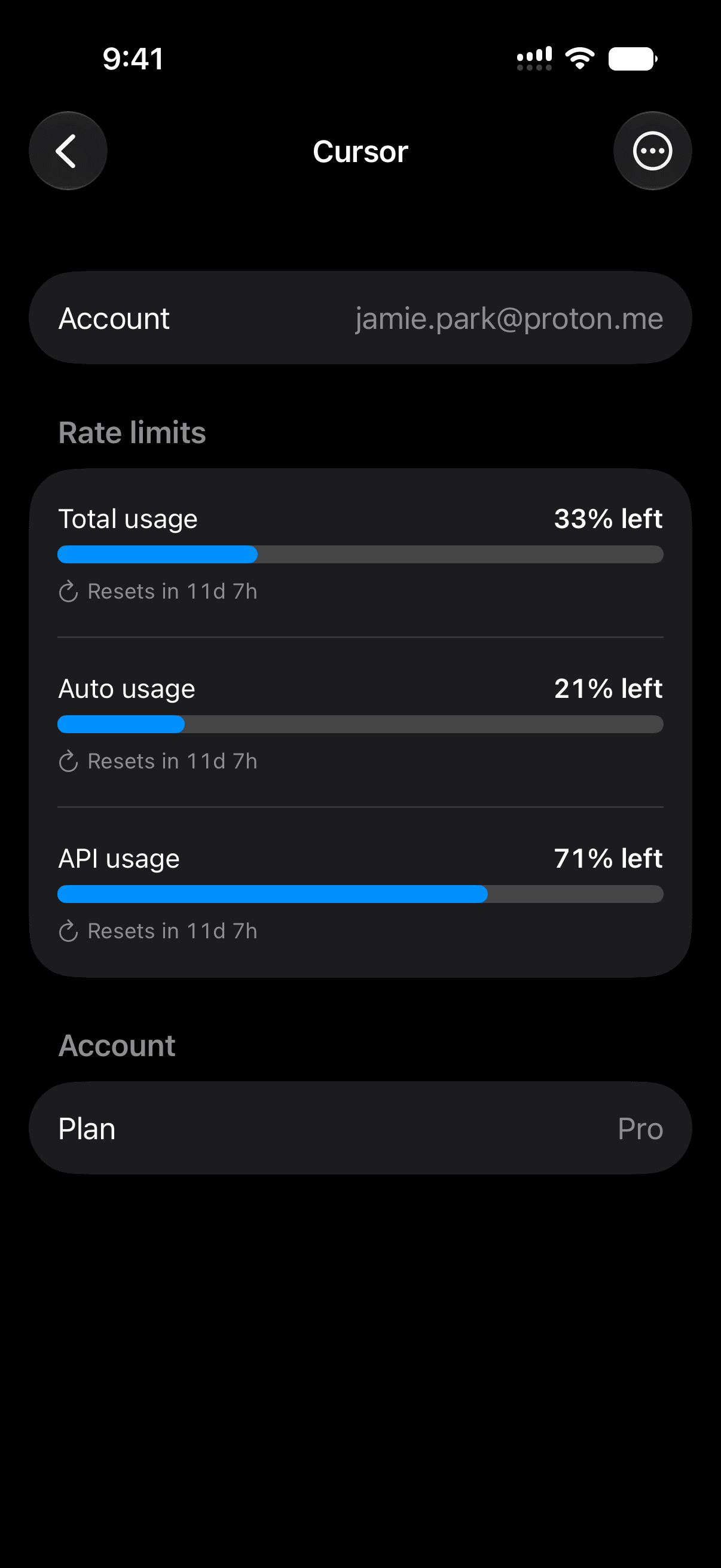
Limits is a Cursor usage tracker for iPhone. Connect your Cursor account and keep your usage in view with widgets and alerts, so you never hit your plan's limit mid-task without warning.
01
Usage and resets in view
See how much of your Cursor plan is left and when it resets, on the dashboard and in Home and Lock Screen widgets.
02
One view for every tool
Track Cursor alongside Codex and Claude Code in a single calm dashboard, instead of three separate places.
03
Alerts when it matters
Get a notification when a limit resets, so you know the moment you can pick back up.
common questions
- How do I see my Cursor usage?
- Limits connects to your Cursor account and displays your remaining usage and reset timer on your iPhone, including in widgets.
- What are Cursor's usage limits?
- Cursor's limits depend on your plan. Limits shows your remaining usage and the reset time so you always know where you stand.
- Does Limits track other tools too?
- Yes. Limits tracks Codex, Claude Code, and Cursor in one place, with Grok and Antigravity coming soon.
keep your usage in view.
free to start, on your iphone. no dashboards, no guessing.
download on the app store