Claude usage tracker
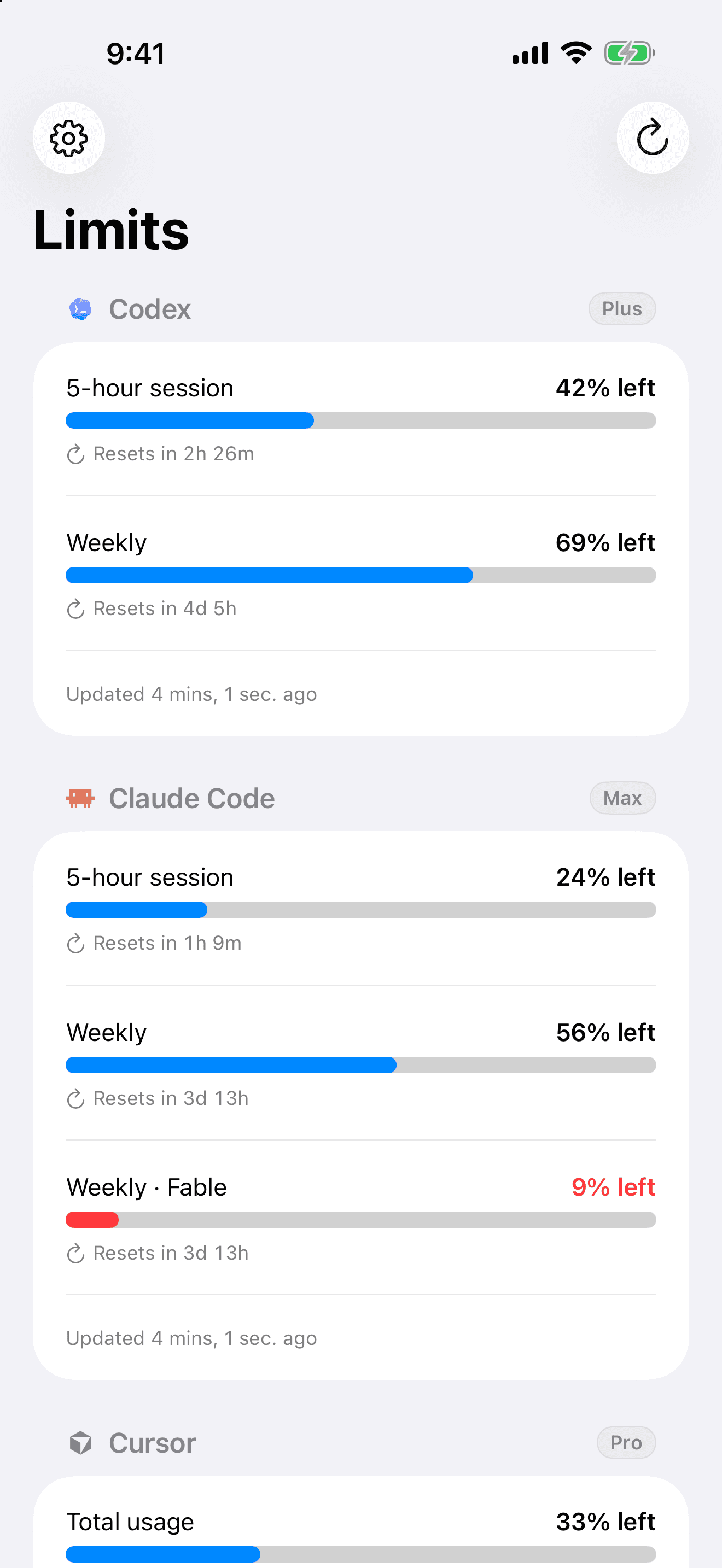
Limits is a Claude usage tracker for iPhone. Connect your Claude account and see exactly how much of your 5-hour session and weekly limits are left, with live reset countdowns, Home and Lock Screen widgets, and a notification the moment a limit comes back.
01
Session and weekly, together
Your rolling 5-hour session and your weekly limit sit side by side, each with a live countdown to the exact minute it resets.
02
Per-model weekly caps
Claude keeps a tighter weekly cap on its most capable models. Limits tracks those separately so a single model running low never surprises you.
03
On your Home and Lock Screen
Keep your remaining Claude usage in view with widgets, so you can glance instead of guessing mid-task.
common questions
- How do I check my Claude usage?
- Claude does not show a usage meter you can watch. Limits connects to your Claude account and displays your session and weekly usage as clear bars with reset timers, right on your iPhone.
- What are Claude's usage limits?
- Claude enforces a rolling 5-hour session limit and a weekly limit, with separate weekly caps for its most capable models. Limits tracks all of them in one view.
- Is Limits free?
- Limits is free to start. Reset alerts are free; predictive warnings before you run out are a Pro upgrade.
keep your usage in view.
free to start, on your iphone. no dashboards, no guessing.
download on the app store